
Halloween: The Game Progression & Perk Cards
Profile progress follows your play across roles; Civilian and Weapon progress belong to particular characters or Michael weapons. For Civilian perks, earn points from matches, roll cards, build a deck and equip it to a loadout.
Updated October 13, 2026
Which progress follows your character?
The four tracks explain why changing character or weapon can mean working on a different progression target.
| Track | How it grows | What to check when switching |
|---|---|---|
| Profile | XP earned across roles | Your overall profile, rather than one chosen Civilian. |
| Killer | Playing Michael | Separate from your Civilian character levels. |
| Civilian | Playing the selected Civilian | Check the character you intend to develop; this track is character-specific. |
| Weapon | Dispatching victims with a specific equipped Michael weapon | Check the weapon as well as Michael’s level. This is not a shared level for all Civilian weapons. |
From Perk Points to an equipped deck
1. Earn and roll
In 1.1.0, the Spectator Minigames toggle can be switched off while Perk Roll progress continues to accumulate passively. That is roll progress, not a promise of a particular card or a fixed number of Perk Points. The end-of-match AAR now shows points earned, and the main menu shows the total; compare those displays before assuming points disappeared.
Completing matches awards Perk Points. Spend them to roll cards; the developer says higher spending increases the chance of higher rarity. That does not guarantee a particular card.
2. Separate collecting from upgrading
You can also spend points to raise an owned card’s level for a limited number of matches. The upgrade is temporary; this is different from obtaining the card.
3. Build and equip
Combine collected cards into a Perk Deck, then equip the deck to a Civilian loadout. Check the equipped loadout before the next match rather than assuming a newly collected card is already in use.
4. Compare effects before spending
Read the effect and level of the card you own. A stamina-recovery effect and a stamina-cost reduction answer different problems, even though both concern stamina. The examples below help distinguish those jobs.
Six card effects worth distinguishing
| Task | Card | Reported effect |
|---|---|---|
| Recover stamina | Adrenaline | Faster stamina recharge. |
| Spend less stamina | Unwinded | Lower stamina use. |
| Use healing faster | Field Triage | Faster healing-spray and med-kit use. |
| Heal more per item | Wound Mender | More health restored by healing items. |
| Discover exits from farther away | Exit Strategy | Increased escape-discovery distance. |
| Reveal an exit | Survival Intuition | One random escape is marked on the map. |
The distinction matters: finding an exit is not the same as opening it, and using a healing item faster is not the same as restoring more health. Match the effect to the problem you want the loadout to address.
Reported in Mobalytics (September 7) and NoobFeed (September 12). These are community descriptions, not an official inventory or a strongest-card ranking. Compare with your current card text; level-dependent percentages are omitted.
Choose a card direction from the problem you keep having
This is a way to read the six reported effects, not a best-build list. Start with one repeated problem, then compare the card text and level shown in your current client.
Stamina runs out
Adrenaline concerns recovery after stamina is spent. Unwinded concerns how much stamina actions consume. Decide whether recovery or ongoing cost is the part causing trouble.
Healing is interrupted
Field Triage concerns item-use speed. Wound Mender concerns health restored per item. Faster use and greater healing answer different situations.
Escapes are hard to locate
Exit Strategy concerns discovery distance. Survival Intuition marks one random escape. Neither description says the escape is opened or ready to use.
Check the current deck rule before building
The official launch / 1.0.1 notes (September 8) limits a deck to two copies of the same Perk Card; excess copies were automatically unequipped.
This limit does not prove that two copies add their percentages together, or that different cards affecting the same resource use one shared stacking rule. After changing a deck, inspect the equipped cards and the current client text rather than assuming a stacking formula.
Challenges and Prestige
| System | What it tracks | Practical distinction |
|---|---|---|
| Passive challenges | Killer or Civilian categories tracked regardless of selected character | Check these for goals that are not tied to one named character. |
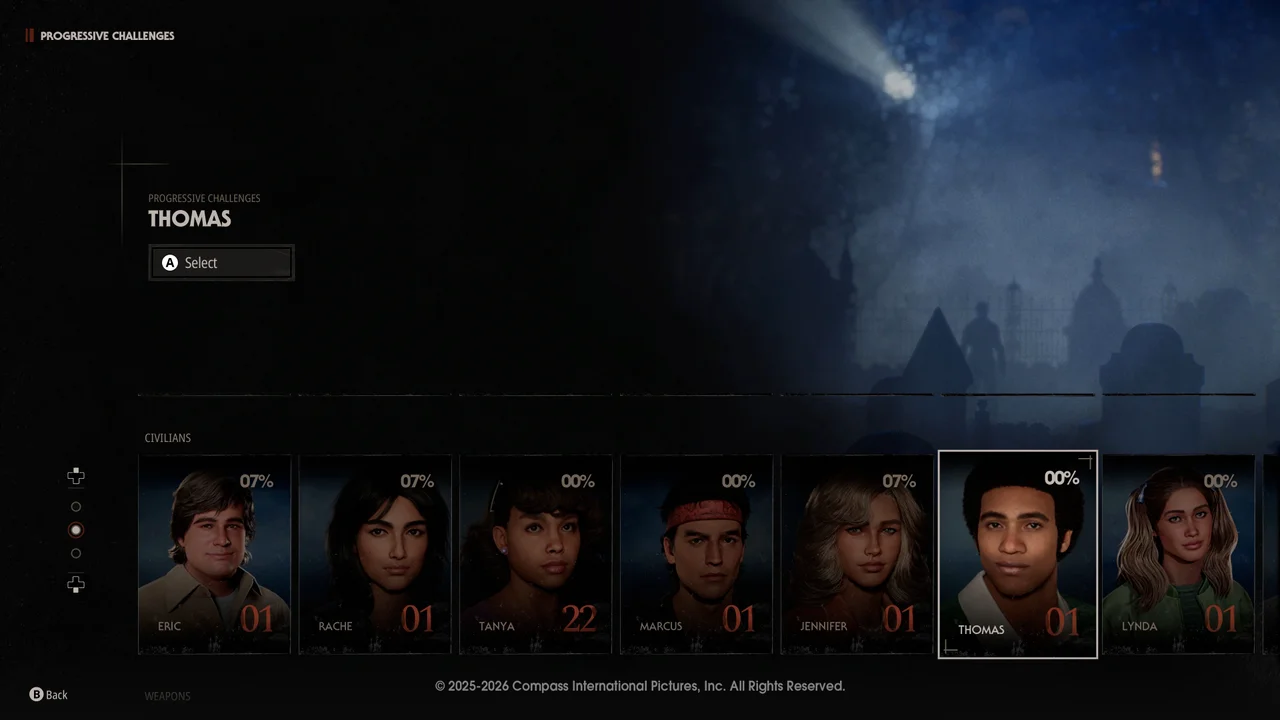
| Progressive challenges | Successive goals tied to Civilians, Michael skins or weapon types | Check both the selected character/skin/weapon and the next objective. |
| Story challenges | Optional objectives across six chapters | These unlock cosmetic rewards rather than forming a required multiplayer tutorial. |
| Prestige | Available at the maximum of any of the four tracks | Before confirming a reset, read the current client’s reset and reward details. No reset behaviour is inferred here. |
For Weapon Progressive Challenges, use the corresponding weapon even if the objective omits that condition. Keep the character, skin or weapon tied to the objective selected when checking progress.
Patch 1.0.2 (September 11) lists earlier challenge and Prestige fixes, including a later update for missing Weapon Prestige challenge text. The publisher asked players to restart after that update, but a historical fix does not prove that every current tracking problem is resolved.
Check the counter and the installed patch
IllFonic’s September 22 patch notes changed Progressive Challenge goals. If your saved progress is already above the new requirement, earn additional progress toward that exact objective to trigger completion. Choose the matching challenge action rather than repeating a whole chapter or starting a different goal.
- Read the current objective and counter on the character, skin or weapon you are using.
- Perform an action that contributes to that objective, then compare the counter and reward state.
- If it still fails, capture both states and your build for a report via the current issue guide.
Passive Challenges are a separate case. On 1.0.3 they could keep gaining progress after Prestige while still looking locked. IllFonic’s October 6 Patch 1.1.0 notes fixes that locked appearance. A counter that still fails to change on 1.1.0 needs its own report; Prestiging again is not an established repair. Read the current confirmation before any reset. The exact treatment of retained cards, levels and rewards is not established here.